Schedule nightly CVE scans
Register a LaunchAgent in three clicks and Noxen runs every enrolled host nightly at 03:00 — without the main app being open. Findings drop into the dashboard the next time you launch the app. Critical findings page out via APNs if you've enabled iOS push notifications.
Enable scheduling
Settings → Scanning → toggle Run scheduled scans on.
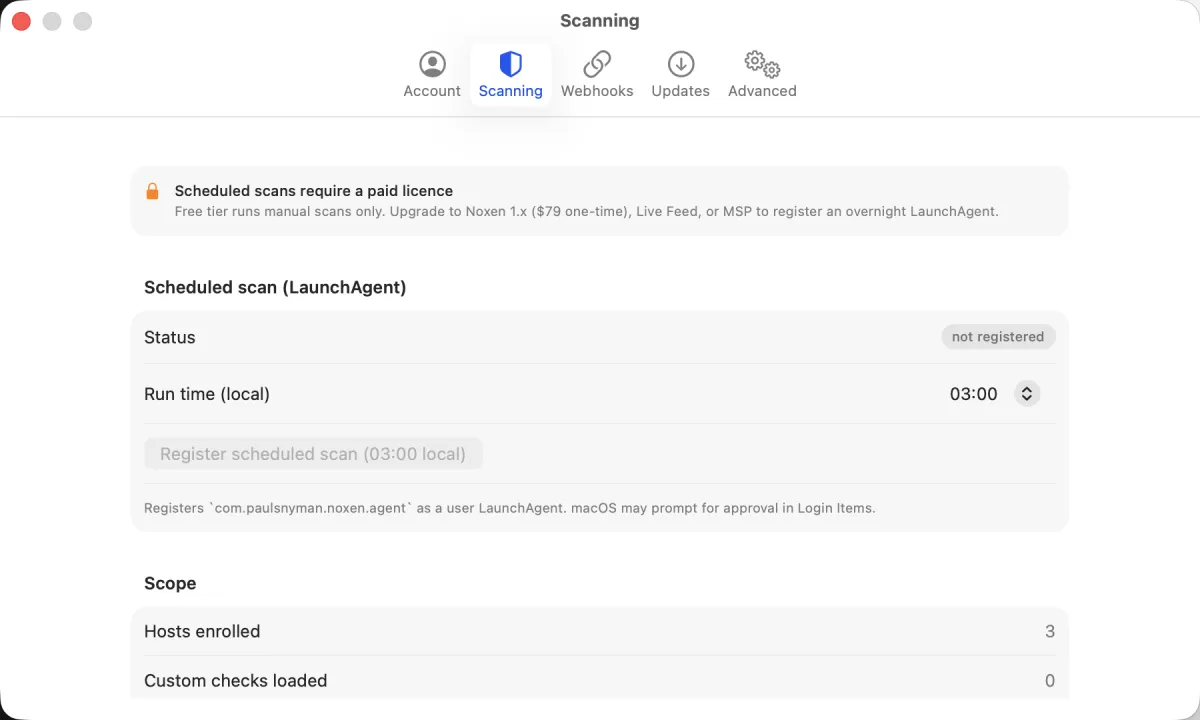
The toggle uses Apple's SMAppService API to register
the Noxen Agent as a per-user
LaunchAgent. macOS surfaces a one-time approval dialog
("Noxen wants to run a background item") — approve to enable.
The agent itself is a separate app target
(NoxenAgent) that ships inside Noxen.app's
Contents/Resources/ directory.
What runs at 03:00
The LaunchAgent fires NoxenAgent as a headless
LSUIElement process — no Dock icon, no window. It:
- Reads
agent/hosts.jsonfrom the App Group container — the main app writes this file on every host edit with the current enrolled-host list. - Acquires an advisory lockfile at
agent/agent.lockso two scheduled runs can't overlap. If a previous run is still going (e.g., on a fleet of 100 hosts that takes 30+ minutes), the second fire exits cleanly without doing anything. - Loops every host, running the same six-probe pipeline as the main app's scan engine.
- Writes per-host scan results to
agent/results/<host-id>.json. The main app drains these files on next launch and merges them into SwiftData as properScan+Findingrecords. - Surfaces critical findings via the macOS Notification Center — only if your tier allows daily updates (Live Feed / MSP) and you've enabled notifications in Settings → Notifications.
Transient-failure retry
If a host's SSH connection fails at 03:00 (network blip, DHCP
lease re-negotiation, the box rebooting for kernel updates),
the agent waits 5 seconds and retries once. Two failures in a
row write a per-host .error result, which the main
app surfaces as a finding so you know the host wasn't reached.
No infinite retry loop — at most one retry, then move on.
AC power only (default)
The agent's plist sets RunAtLoad=false,
StartCalendarInterval for 03:00 daily, and
LowPriorityIO=true. By default Noxen also sets a
Run on AC power only flag — the agent checks
IOPSCopyPowerSourcesInfo on wake and exits early
if the Mac is on battery, so you don't drain a laptop overnight.
Toggle off in Settings → Scanning if your Mac is permanently
on AC and you want scans to run unconditionally.
Schedule frequency
03:00 daily is the default. Change in the time picker. The
agent supports any time-of-day; weekly or longer cadences can
be approximated by enrolling a subset of hosts each day.
Sub-daily cadences (every-N-hours) aren't exposed in the UI in
v1.0 but the underlying StartInterval mechanism
can support them — file a feature request if you have a use
case.
Manual run
Settings → Scanning → Run agent now kicks off a scheduled-style run on demand without waiting for 03:00. Useful for testing the schedule's results-merge path; also useful as a "scan everything before I go to bed" button.
Disable scheduling
Toggle off in Settings → Scanning. The LaunchAgent is
unregistered via SMAppService; the
NoxenAgent binary stays on disk (it's bundled in
the app), but it won't be triggered until you re-enable. No
cleanup required.
Tier requirements
Scheduled scans are available on Noxen 1.x, Maintenance, Live Feed, and MSP tiers. The free tier does not register the LaunchAgent — manual scans only. See pricing for the full tier matrix and what each tier unlocks.